A customer profile that remembers for you

Light starch, on hangers. Hems a half inch short. Unscented, no softener. Save it once on the customer and it comes up on every new order, with their history, their tags and anything you promised to follow up on.

From the counter to the profile

  1. Their preferences on every ticket

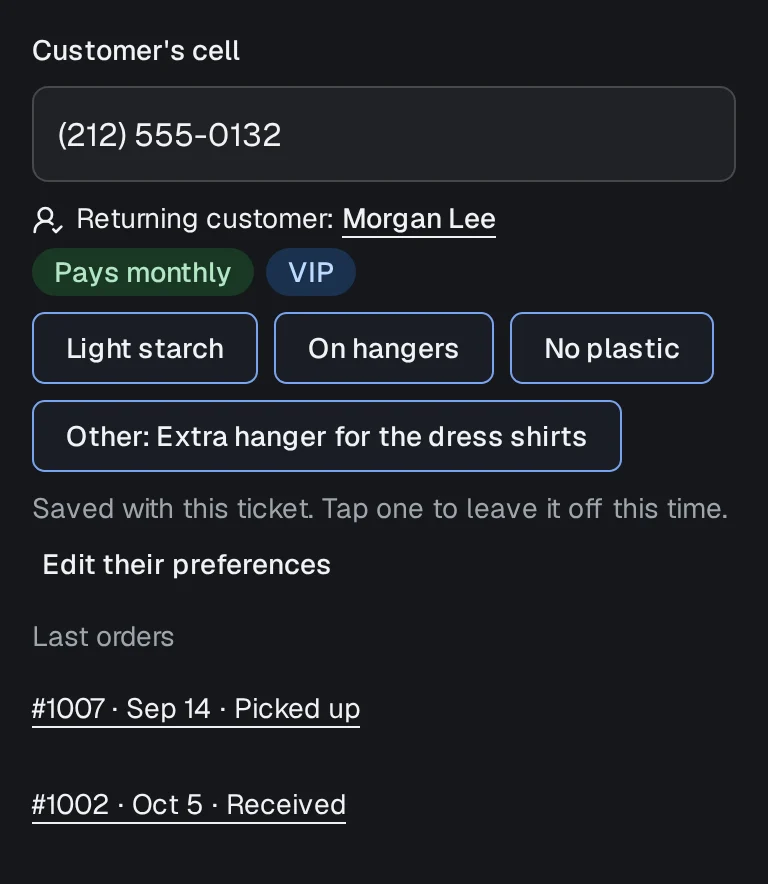
    Type the customer's cell and their saved preferences and tags show on the order before you tap a tile. Nobody has to remember that this customer wants shirts on hangers with no plastic.

    On screen: New order
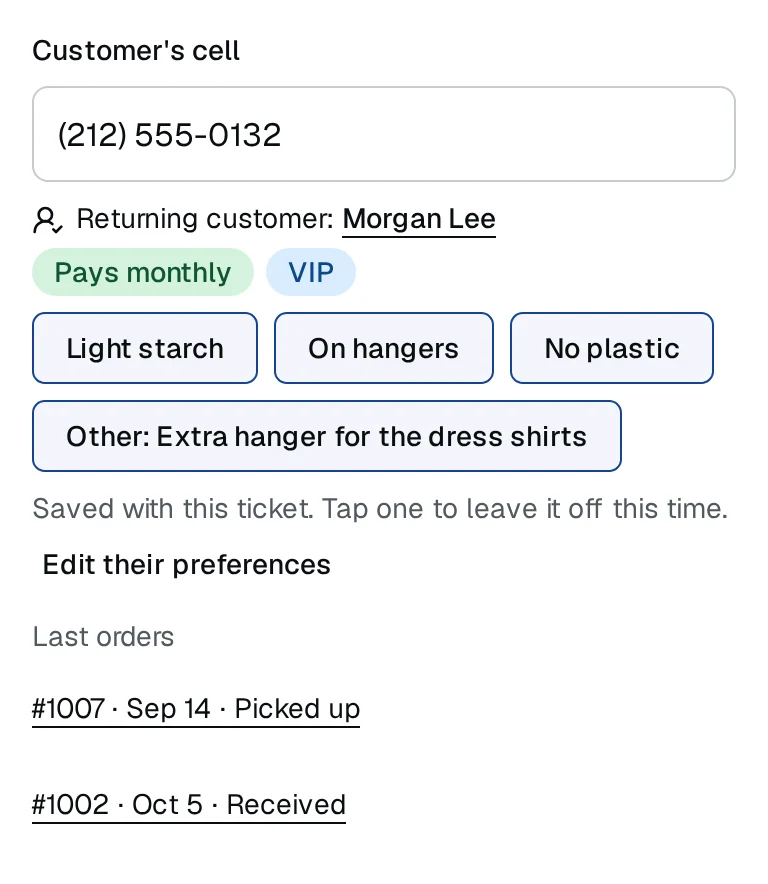
    The customer's cell on the New order screen at Acme Cleaners: Morgan Lee recognised, with the tags VIP and Pays monthly and the preferences light starch, on hangers and no plastic.
  2. Every order and message in one timeline

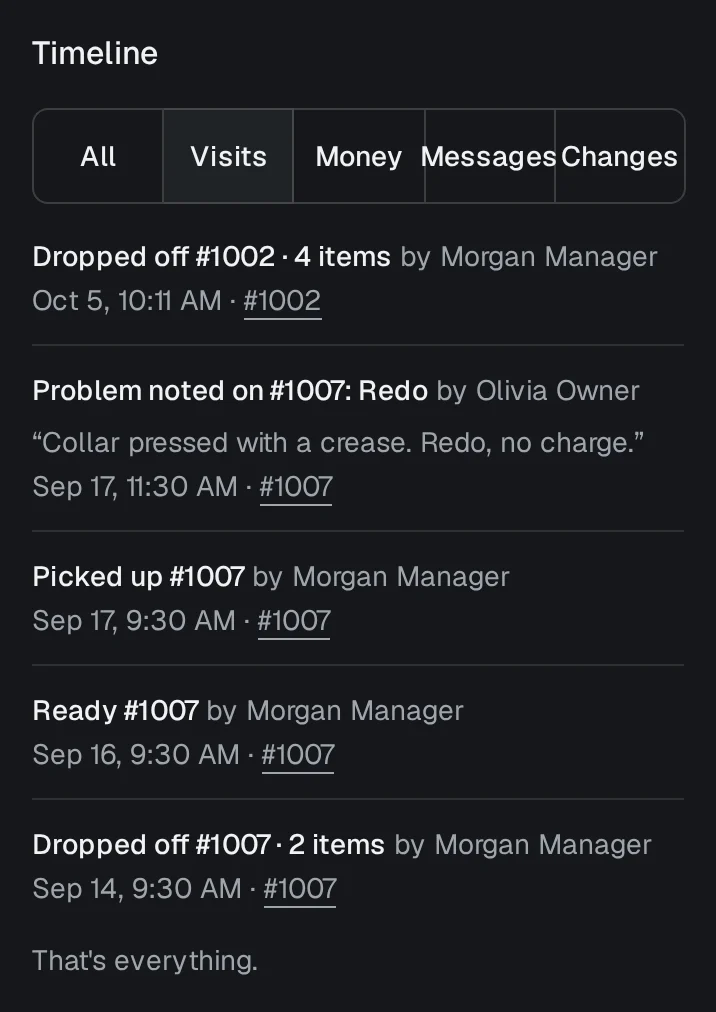
    Orders, payments, emails and changes, newest first, with a filter for each, so the whole story is there when they call about a coat from March.

    On screen: The customer's page → Timeline
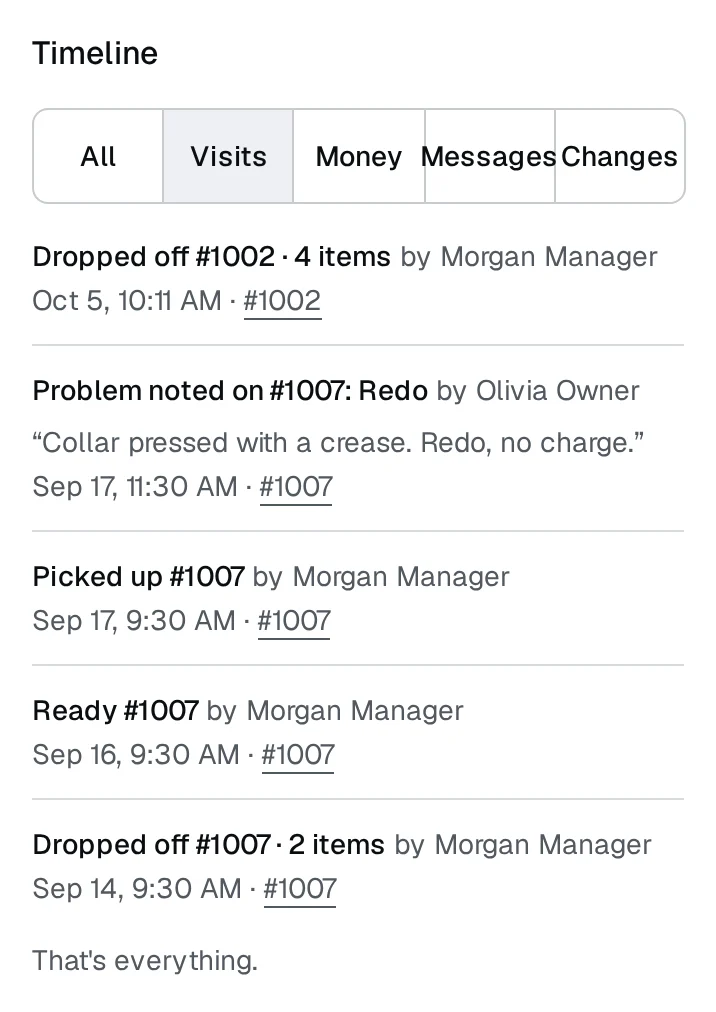
    A customer's timeline filtered to visits: orders dropped off, marked ready and picked up, and a problem noted for a redo, each with its date, time and ticket number.
  3. Tags and follow-ups

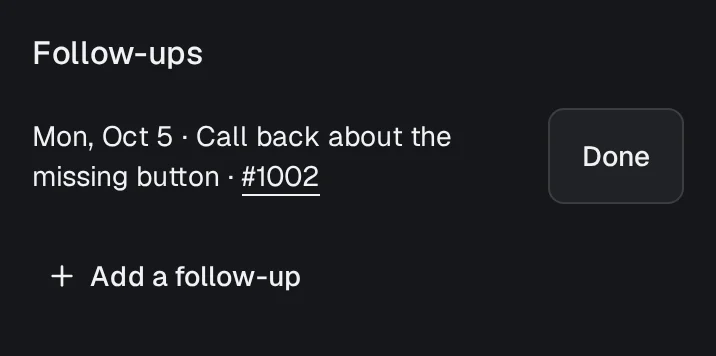
    Tag a customer Wholesale or Wedding party and find everyone with that tag on Customers. Leave yourself a follow-up such as 'call when the alteration fabric arrives', and it shows on Today when it's due.

    On screen: The customer's page → Follow-ups
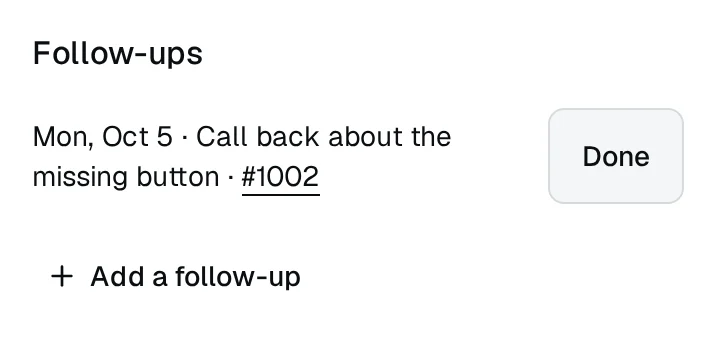
    The Follow-ups card on a customer's page: a dated note to call back about a missing button, about one of their tickets, with a Done button.
  4. What a regular is worth, for owners and managers

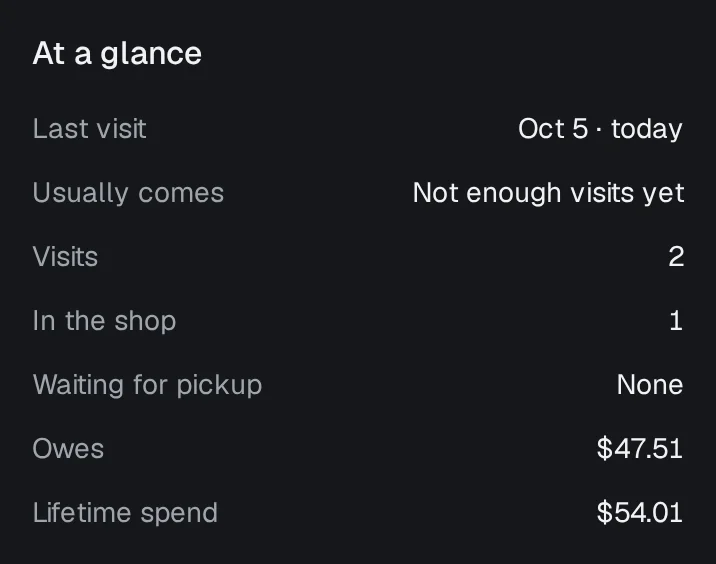
    At a glance shows their last visit, how often they usually come, what is in the shop and what they owe. Owners and managers also see what a customer has spent; counter staff don't.

    On screen: The customer's page → At a glance
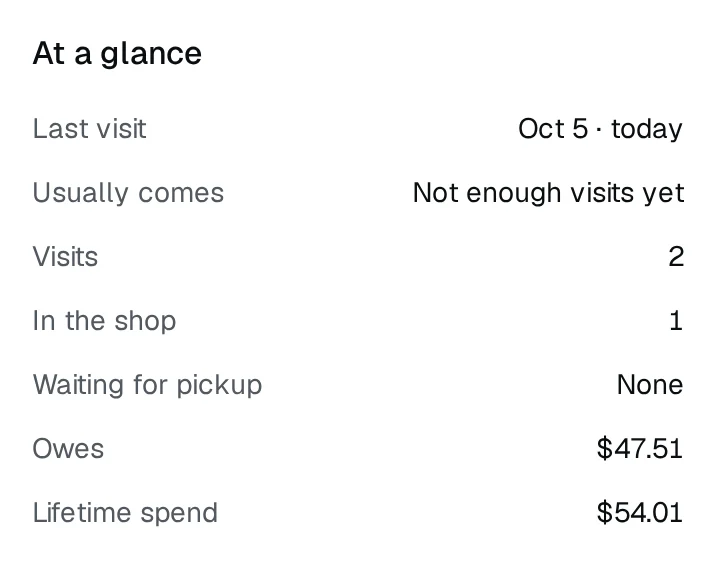
    At a glance on a customer's page: last visit, how often they usually come, visits, orders in the shop and waiting for pickup, what they owe and their lifetime spend.

Questions about customer profiles

Hangr is in private beta. Apply with your shop's details. A person reviews every application, and if we can take your shop on, we'll email you a link to set up your account. Every shop gets a 14-day free trial, and no credit card is needed.

No. Lifetime spend shows to owners and managers only.

Yes. From their page you can download what Hangr holds about them, or erase them, which removes their name and contact details.

No. A customer's page fills itself as you take their orders. Preferences, tags and follow-ups are there when you want them.

Know every regular by their first visit back.