Close the day without a calculator
At closing, count the drawer and Hangr shows it next to what the day took by cash, card and other. Reports show what sells and who took it in, and the takings download as a file for your accountant.
From closing time to the books
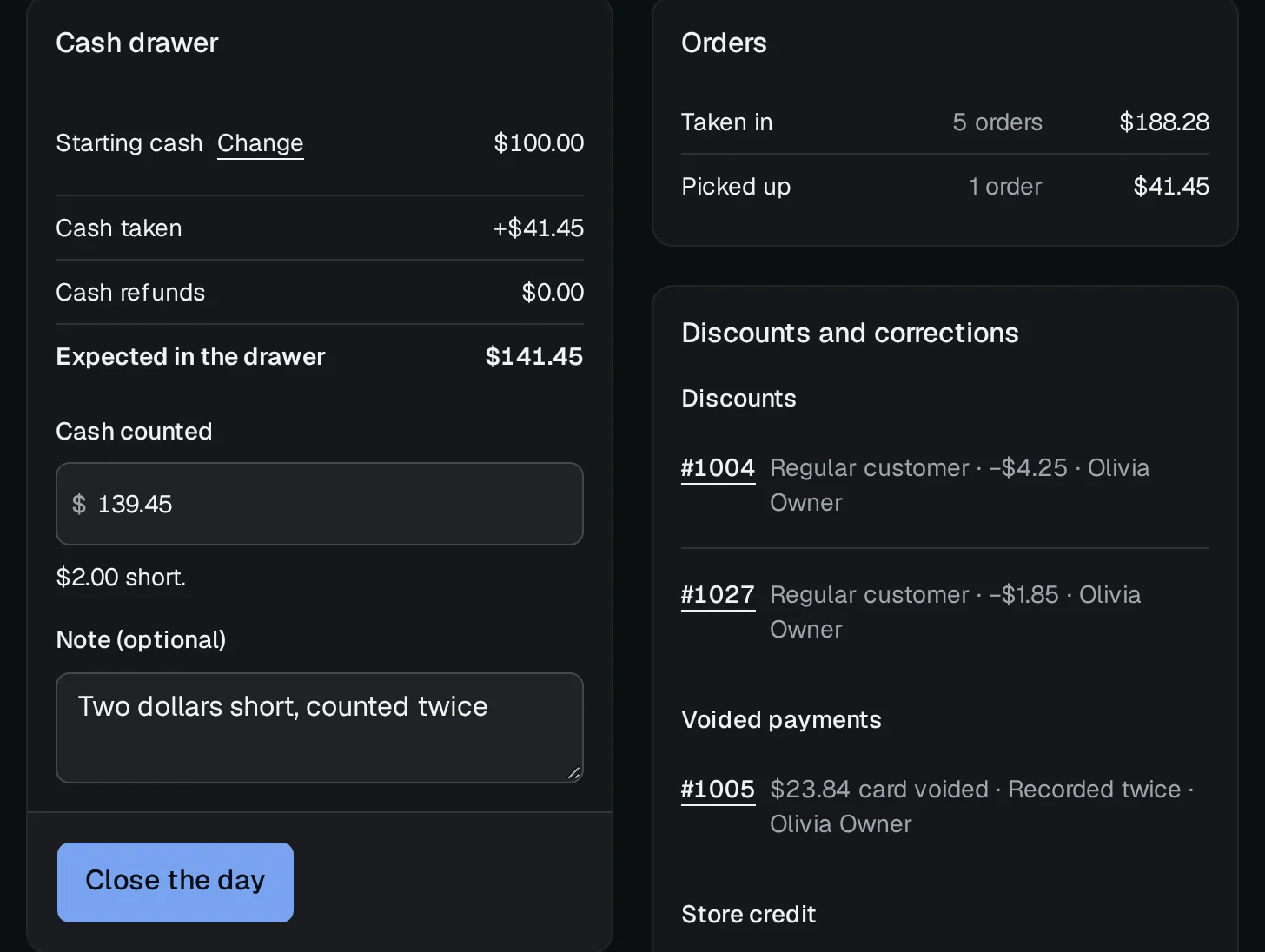
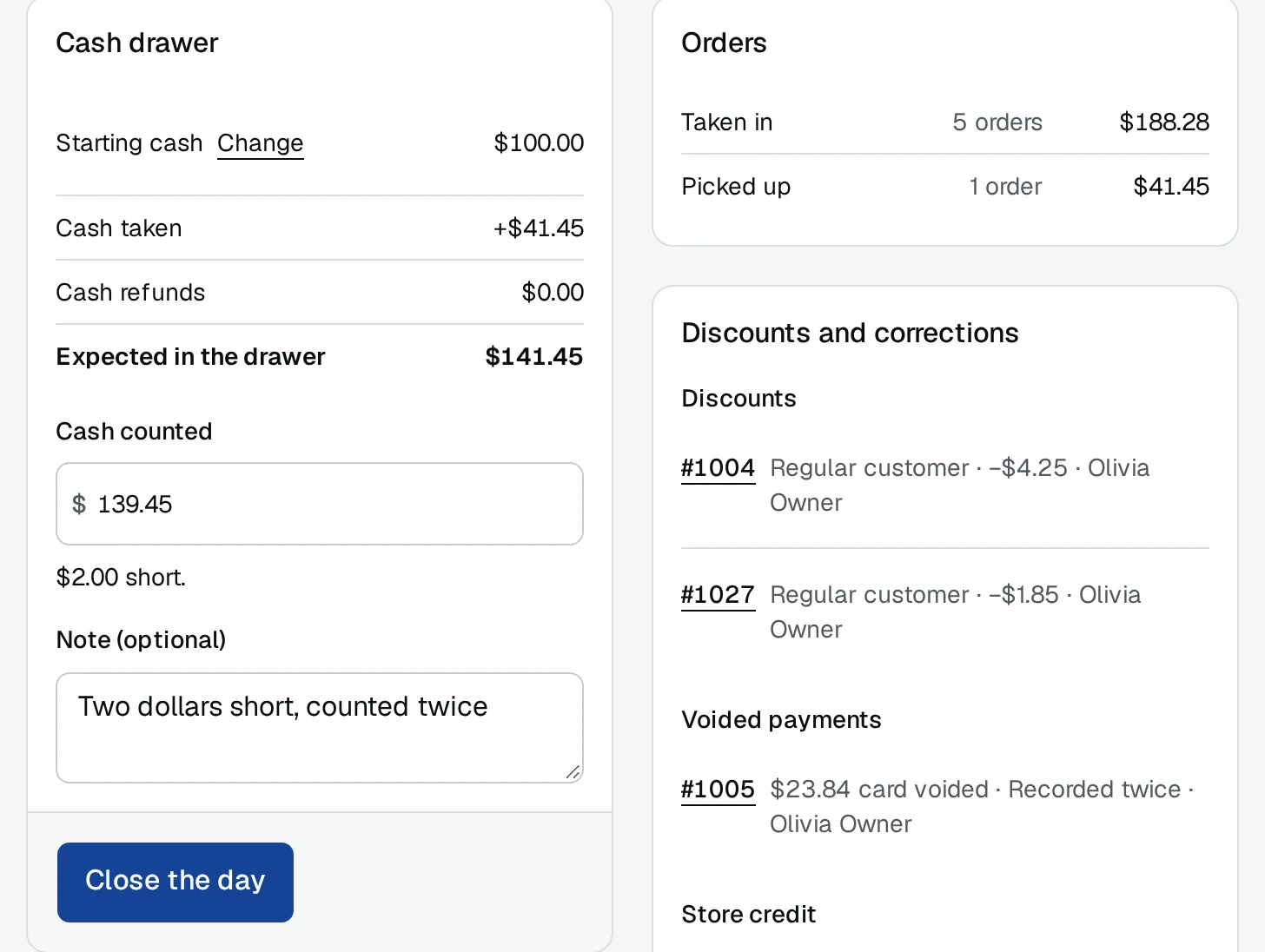
Count the drawer
Type what's in the drawer and see it against the cash the day should leave there, with any difference and a note for it. The day's orders, discounts and corrections sit beside it.
On screen: Close the day
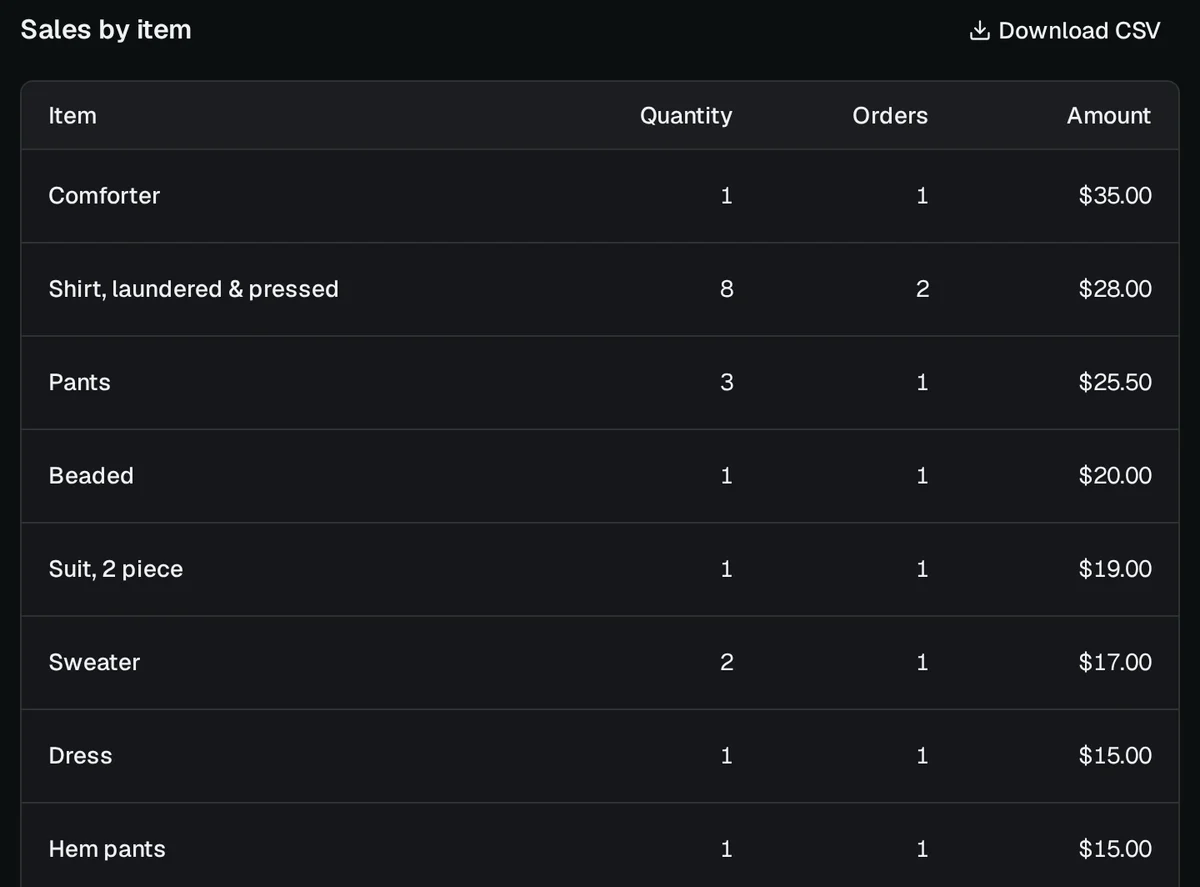
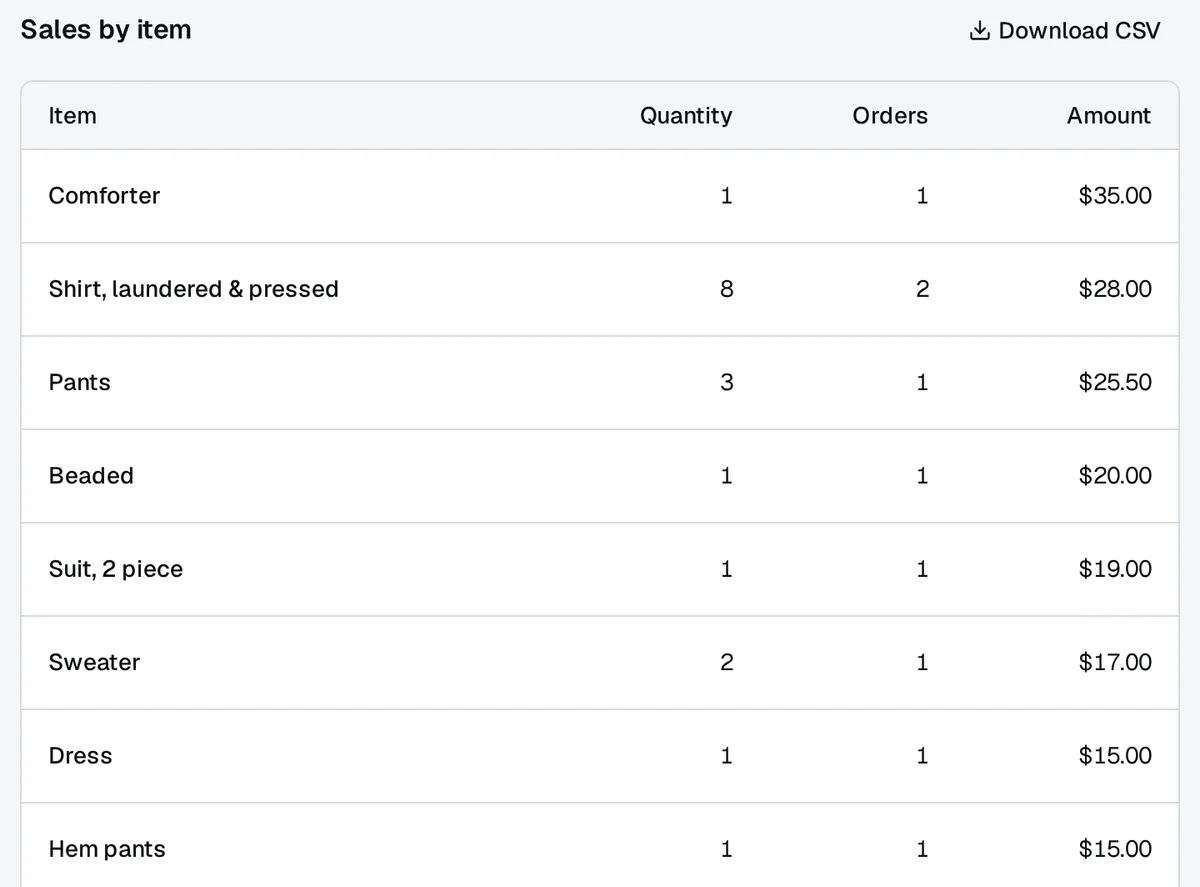
What sold, and who took it in
Sales by item, by staff member and by payment method, for a day, a week or a month you pick, each table ready to download.
On screen: Reports
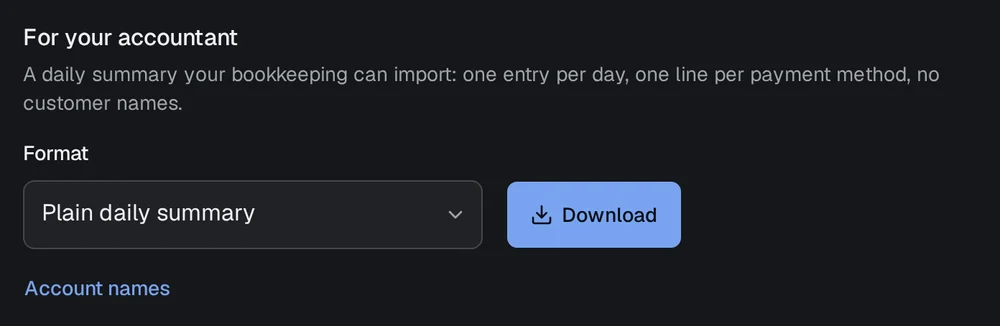
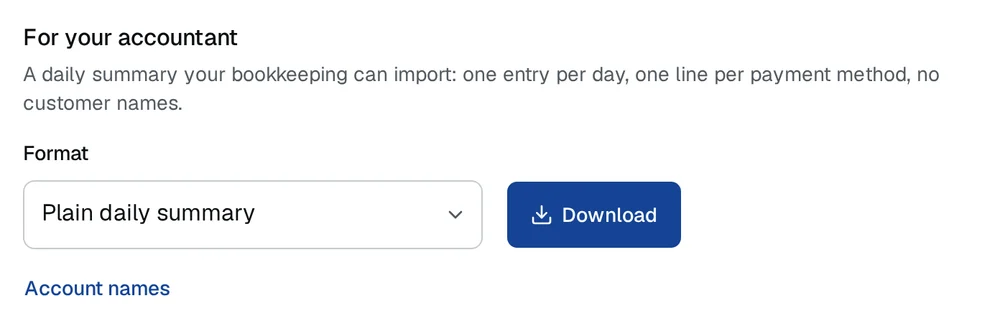
A file for your accountant
Download the takings as a daily summary CSV: one row per day and payment method, with no customer names in it.
On screen: Reports → For your accountant
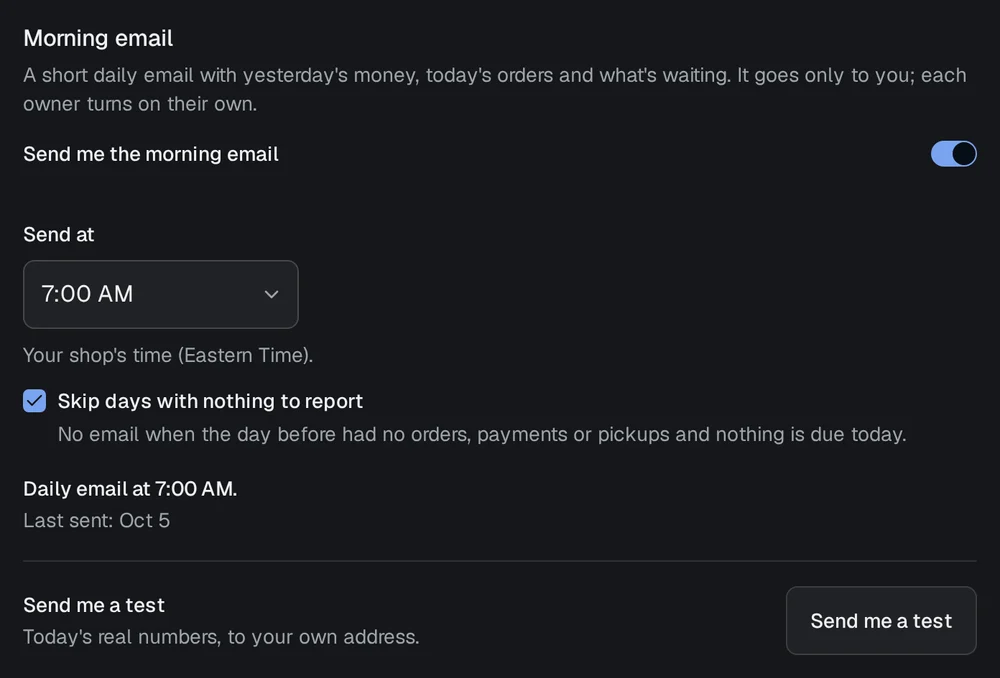
Yesterday in your inbox each morning
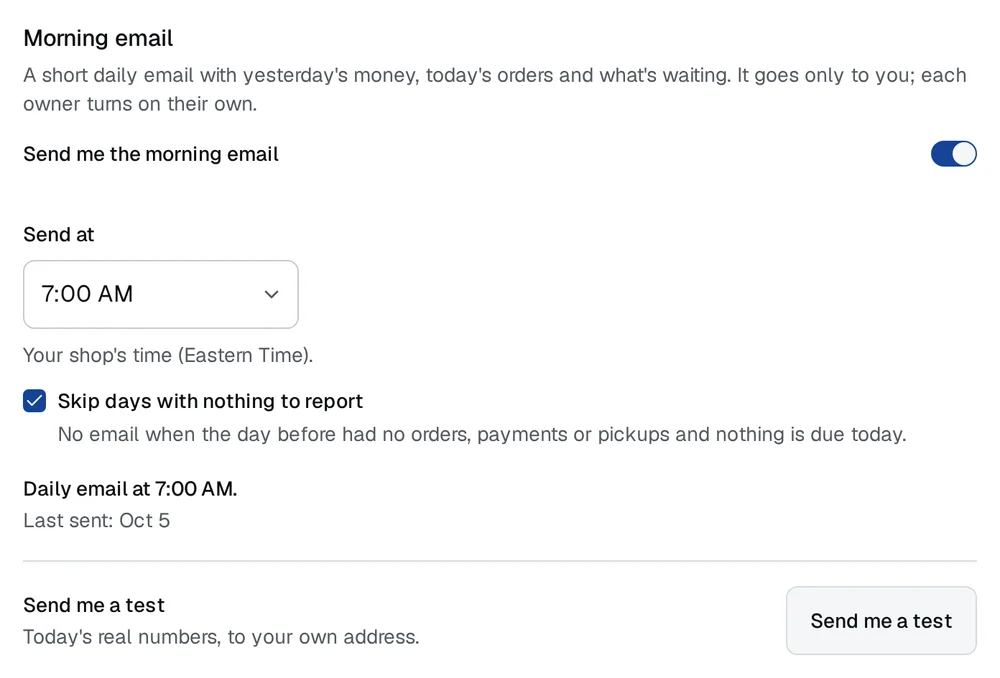
Off until you switch it on: one email to the owner each morning, at the time they pick, with yesterday's takings and what's waiting today.
On screen: Settings → Your account → Morning email